
Today, we use many digital products in our everyday lives — apps, websites, online tools. But only some of them really feel easy and enjoyable to use. The best products don’t just look good — they solve real problems for real people.
To make this happen, UX designers follow a clear process. It helps us understand users, create useful ideas, test them, and improve. This process is called Design Thinking.
Design Thinking is more than just a plan. It’s a way of thinking. It helps us focus on the people we design for. It also helps us try different ideas and learn from mistakes — instead of trying to be perfect from the beginning.
In this article, we’ll look at the five main steps of Design Thinking:
- Empathize
- Define
- Ideate
- Prototype
- Test
Step 1: Empathize — Understand the People
Before we start designing anything, we need to understand who we are designing for. This step is called “Empathize.” It means learning about the user’s life, problems, needs, and feelings.
To do this, we can:
- Talk to real users in interviews
- Ask questions in surveys
- Watch how people use similar products
- Read feedback from competitors’ products
This helps us see the world through their eyes. We don’t guess — we listen and learn. The better we understand the user, the better we can design something helpful for them.
Step 2: Define — Find the Real Problem
After research, we usually have a lot of notes and ideas. In the “Define” step, we organize all this information. We try to find the main problem the user is facing.
This step helps us write a clear problem statement. For example:
“Busy parents need an easier way to plan healthy meals because they don’t have time to cook every day.”
Now we have a goal. We know what to focus on and why it matters.
Step 3: Ideate — Think of Many Ideas
Now it’s time to be creative! In the “Ideate” step, we think of as many solutions as possible. Some ideas might be great, others not — but that’s okay. The goal is to explore.
We can brainstorm alone or with the team. It’s important to not judge ideas too early. Often, the best ideas come after we go beyond the most obvious ones.
Later, we can choose 2–3 ideas that seem most promising. These will go to the next step: prototyping.
Step 4: Prototype — Build a Sample
A prototype is a simple version of your idea. It can be:
- A sketch on paper
- A wireframe in Figma
- A clickable layout with basic features
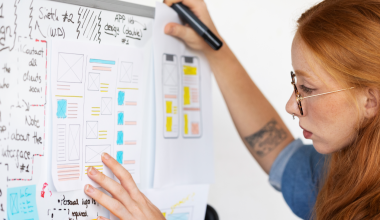
You don’t need to make it perfect. The goal is to see how it works and show it to users. It helps you and your team imagine the product in real life.
Sometimes, one idea leads to another. Prototypes help you discover what works and what doesn’t — before spending time and money on development.
Step 5: Test — Try It with Users
This step is about learning: does your solution really help the user?
You give your prototype to users and watch how they use it. You ask questions, listen to their feedback, and look for any problems.
Testing is not the end — it’s a new beginning. After testing, you may go back to make changes. Maybe you need to try a different idea, or fix a confusing screen. That’s normal! It’s part of the iteration process.
By testing often, you can make the product better before launch.
Summary: What Design Thinking Teaches Us
Design Thinking helps UX designers build useful and successful products by focusing on the people who will use them.
Here’s what makes it so helpful:
- We learn about real users, not just guess
- We define the right problems to solve
- We test ideas early and improve them
- We stay creative and flexible
- We make design decisions based on feedback, not opinions
Whether you’re designing your first app or working in a product team, this method gives you a smart, step-by-step way to create great experiences.
Want to Learn More?
Here are some great resources for learning about Design Thinking: